A File Format Uncracked for 20 Years: Part 2
I reimplemented your data file loader and all I got were these stupid cut missions
Table of Contents
This post is a follow-up to part 1 of my adventure in reverse engineering a unique file format present in early Unreal Engine titles. In particular, it looks at Splinter Cell 1 for the original Xbox and explores my attempts to understand the container format, reverse engineering the binary, and writing custom patches that got the game to spill its secrets.
If you've already read that post, you can skip the recap. If you'd like a refresher or don't really care about the hell I went through initially to interrogate this file format, carry on.
# Recap
We learned in part 1 that early Unreal Engine titles used a file structure referred to as "LIN files" (extension being .lin) which, simply put, are the result of loading a map + its dependencies and spitting out all read data to a contiguous/flat byte stream in a single file.
Every byte read (even from the same address) is written to the output stream in the order in which it's read, allowing you to produce a byte stream which requires no seeks.
Why? A long time ago games used to ship on these things called "discs" which would be placed into a "disc drive" connected to your computing device. A "read head assembly" (a laser in the disc drive) would have to physically move on its single axis in order to read data on different tracks laid out in rings on the CD. This is referred to as "seeking" and will interrupt read/write operations until the read head assembly has moved into the correct place, severely slowing down I/O times.
Since the resulting .lin file didn't require seeks and the data is laid out in one contiguous stream, the data could load much faster than loading from many different files scattered across the filesystem. Scattering across the filesystem would also mean scattering across the tracks of the physical media, requiring seeks.
Here is an animation demonstrating this idea:
cd-data.lin are read in one smooth sweep.A quick recap of lingo:
- Linker files: a collection of objects in a common package. These are the root object type (and are the file container) that the games typically load.
- Objects: Something which can be serialized to/and from a package. Some of these are implemented in native code and only have properties/fields declared in serialized data. These are OOPish and have parent/base types and might represent things like textures, light sources, or scripts.
- Exports: Objects exported at a linker level for objects in other linkers to import.
And critical knowledge:
- Objects are lazy loaded. A linker might declare 200 objects but only 100 might be actually used in a map, and therefore only 100 are present in a
.linfile. - There are multiple phases of loading. Object A might have object B as a parent object, which requires B to load first. And then after loading these, there's a post-load phase which might trigger loading of additional objects depending on per-class virtual function behavior.
# Futile Attempts
# Runtime Patch
I ended my last blog post with some custom x86 assembly patches to the game binary that were effective in getting the game to re-serialize data into a well-known format. This worked but had several problems:
- It required hooking functions and hijacking control flow at a particular point in the game load sequence after the level had loaded.
- The code path I used for re-serializing the data cleanly I think is unique to Splinter Cell and not likely to be in all UE games.
- It required finding some globals such as the loaded linker list (linker is basically a package).
- I would have to load each and every map to dump its contents.
- XEMU doesn't support native FTP and the HDD image cannot be mounted (easily). It's a bit of a pain in the ass to get files out of the emulator.
Some of the above aren't so bad. Like the engine post-initialization point I hooked for dumping the game has some strings you can search for:
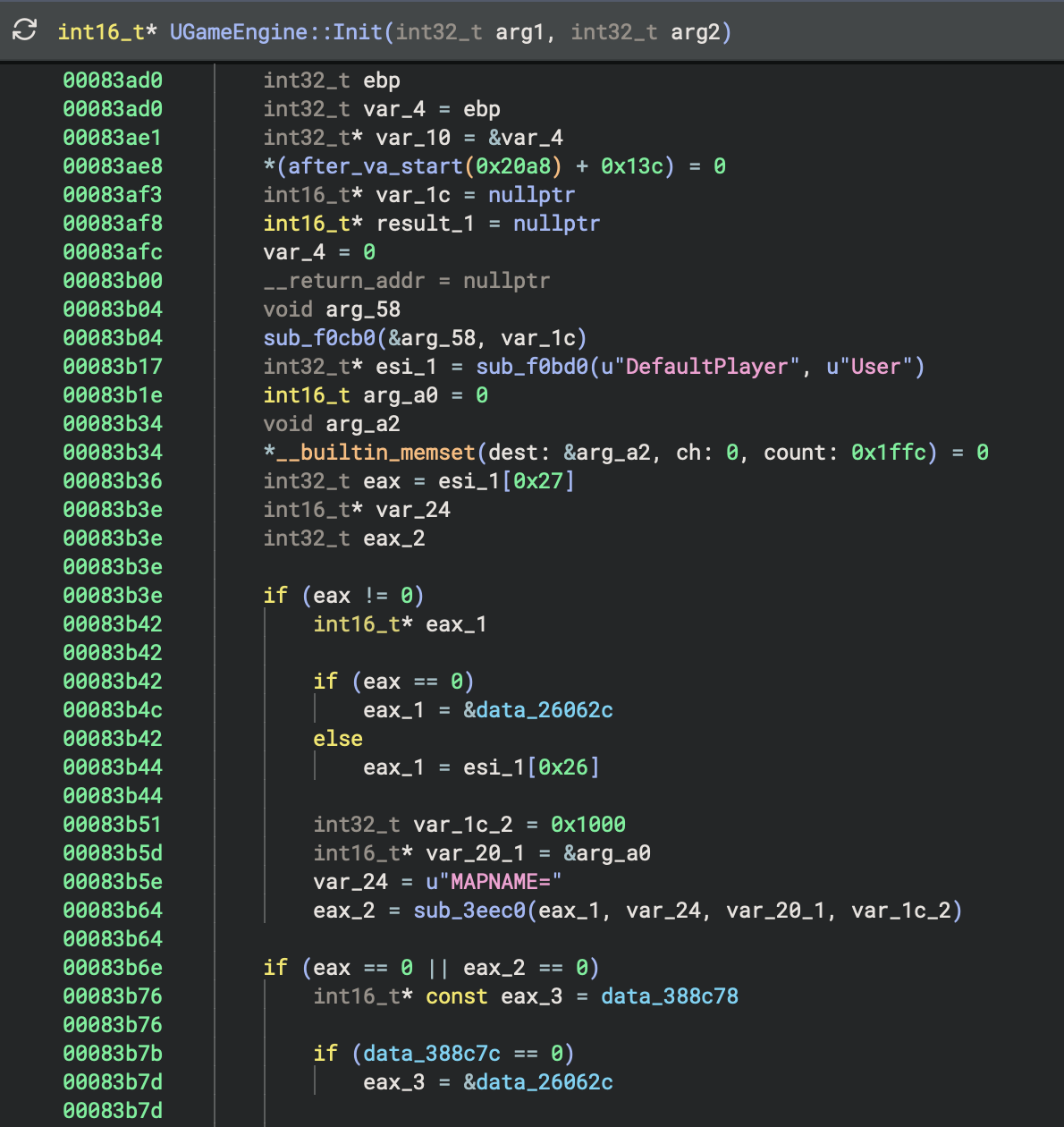
But critically, this method of serialization did not dump everything cleanly! I mentioned this in the first blog post, but I had to patch the texture serialization code to retain textures in memory so they would re-serialize.
There were other instances of this too, like 3D models and who knows what else? And even finding this function was hard enough. If you look in this video of me scrolling through the function, there aren't even really any identifying characteristics of it either and its caller uses an icall.
This approach is just a bit complex and doesn't scale well to other titles. I don't want to redo all of this work for every game I want to dump, and neither does anyone else.
# Static Rewriting
I mentioned static recompilation and some of its caveats in the "Next Steps" section of the previous blog post. The tl;dr is to reimplement the engine's loading logic, which in turn requires re-implementing all of its supported object types and loaders...
Spoiler alert: static recompilation ended up being the winning idea, but I tried static rewriting first.
From my IDA debugger scripts I had file load order, object load order, and some rough I/O operations.
I had a lightbulb moment: what if I logged all I/O operations when reading one of these files and reverted the linearization? This would require only logging reads/seeks, and I could basically place object contents back at their original addresses by translating the data at the file offset to the expected virtual address without reimplementing all this stuff from the game engine!
Soooooo easy.
I initially tried logging reads in IDA's debugger but it was incredibly slow and the UX was incrediby painful with heavy friction. Then I discovered that since the original Xbox emulator XEMU is based on QEMU, it supports QEMU plugins which are MUCH more flexible and faster!
My tracked state quickly got a bit complex as I found myself tracking when a file was starting to be loaded, tracking file handles, virtual file pointers, etc. After much iteration though I had a JSON dump containing I/O ops mapped to the export the I/O op belonged to:
{
  "export": {
    "class_index": -2,
    "super_index": 0,
    "package_index": 3,
    "object_name": 4509,
    "object_flags": 458756,
    "serial_size": 44,
    "serial_offset": 25650
  },
  "len": 1,
  "ignore": true,
  "spliced": true,
  "start_offset": 25681
},
{
  "export": {
    "class_index": -2,
    "super_index": 0,
    "package_index": 3,
    "object_name": 4509,
    "object_flags": 458756,
    "serial_size": 44,
    "serial_offset": 25650
  },
  "len": 2,
  "ignore": false,
  "spliced": true,
  "start_offset": 25681
},
And raw I/O operations like:
{
  "Read": {
    "len": 1
  }
},
{
  "Read": {
    "len": 1
  }
},
{
  "Read": {
    "len": 1
  }
},
{
  "Read": {
    "len": 1
  }
},
{
  "Seek": {
    "to": 25681,
    "from": 25682
  }
},
{
  "Read": {
    "len": 1
  }
},
{
  "Read": {
    "len": 1
  }
},
{
  "Read": {
    "len": 1
  }
},
{
  "Seek": {
    "to": 25683,
    "from": 25684
  }
},
This failed for the following reasons:
-
Backwards seeks. Example: Unreal Engine uses a compact int format to compress integers written to binary data. What this sometimes does is a probe -> seek -> probe -> seek pattern where they read a byte, test its value, maybe seek back, then read that byte + 2, rinse and repeat.
-
Forward seeks. Some objects such as textures contain a lazy array which encodes an
addressrelative to the beginning of the file. This data is loaded at a different point in time from the address read though and required a heuristic-based approach to reconcile.
#1 I kind of solved -- you can always take the latest data and apply it to that address.
#2 was a pain in the ass with no strong solution. I technically solved the pattern for one specific object but things would still break. There was just no good way of blindly discerning that some data represented an offset.
I never got this approach fully working and I saw it as having too much complexity for what should otherwise be a simple solution.
# Static Recompilation
Static recompilation is a method which aims to byte-for-byte emulate the game engine's object (de)serialization behavior, serialize the files from your loader, and would only require doing dynamic analysis to dump the order in which objects are loaded.
That object load order looks something like this:
[
    "Engine.GameEngine",
    "Echelon.ECanvas",
    "Engine.Input",
    "Core.Function",
    "Core.Struct",
    "Core.Field",
    "Core.Const",
    "Core.TextBuffer",
    "Core.Enum",
    "Core.LinkerLoad",
    "Core.Linker",
    "Core.LinkerSave",
    "Core.Commandlet",
    "Core.Factory",
    "Core.TextBufferFactory",
    "Core.Language",
    "Core.ByteProperty",
    "Core.Property",
    "Core.IntProperty",
    "Core.BoolProperty",
    "Core.FloatProperty",
    "Core.ObjectProperty",
    "Core.ClassProperty",
    "Core.NameProperty",
    "Core.StrProperty",
    "Core.FixedArrayProperty",
    "Core.ArrayProperty",
    "Core.MapProperty",
    "Core.StructProperty",
    "Core.System",
    "Core.Package",
    "Core.State",
    "Core.Class",
    "Engine.Light",
    "Engine.Keypoint",
    "Engine.ClipMarker",
    "Engine.PolyMarker",
    "Engine.Note",
    "Engine.Camera",
    "Engine.PathNode",
    "Engine.Scout",
    "Engine.InterpolationPoint",
    "Engine.Projectile",
    "Engine.LineOfSightTrigger",
    "Engine.Sound",
    "Engine.AudioSubsystem",
    "Engine.BeamEmitter",
    "Engine.Client",
    "Engine.Viewport",
    "Engine.RenderDevice",
    "Engine.ServerCommandlet",
    "Engine.GlobalTempObjects",
    "Engine.Polys",
    "Engine.Font",
    "Engine.Input",
    "Engine.Console",
    "Engine.LevelBase",
    "Engine.Level",
    "Engine.Primitive",
    "Engine.MeshInstance",
    "Engine.LodMeshInstance",
    "Engine.Mesh",
    "Engine.LodMesh",
    "Engine.ProxyBitmapMaterial",
    "Engine.TexCoordMaterial",
    "Engine.Modifier",
    "Engine.ColorModifier",
    "Engine.Shader",
    "Engine.Combiner",
    "Engine.TexModifier",
    "Engine.TexPanner",
    "Engine.TexScaler",
    "Engine.TexRotator",
    "Engine.TexOscillator",
    "Engine.TexEnvMap",
    "Engine.TexMatrix",
    "Engine.FinalBlend",
    "Engine.MeshEmitter",
    "Engine.Model",
    "Engine.ProjectorPrimitive",
    "Engine.RenderResource",
    "Engine.VertexStreamBase",
    "Engine.VertexStreamVECTOR",
    "Engine.VertexStreamCOLOR",
    "Engine.VertexStreamUV",
    "Engine.VertexStreamPosNormTex",
    "Engine.VertexBuffer",
    "Engine.IndexBuffer",
    "Engine.SkinVertexBuffer",
    "Engine.SceneManager",
    "Engine.ActionMoveCamera",
    "Engine.ActionPause",
    "Engine.SubActionFade",
    "Engine.SubActionTrigger",
    "Engine.SubActionFOV",
    "Engine.SubActionOrientation",
    "Engine.SubActionGameSpeed",
    "Engine.SubActionSceneSpeed",
    "Engine.LookTarget",
    "Engine.MeshEditProps",
    "Engine.AnimEditProps",
    "Engine.SequEditProps",
    "Engine.MeshAnimation",
    "Engine.Animation",
    "Engine.SkeletalMesh",
    "Engine.SkeletalMeshInstance",
    "Engine.SparkEmitter",
    "Engine.SpriteEmitter",
    "Engine.StaticMesh",
    "Engine.StaticMeshInstance",
    "Engine.StaticMeshActor",
    "Engine.TerrainSector",
    "Engine.TerrainPrimitive",
    "Engine.Cubemap",
    "Engine.VolumeTexture",
    "Engine.EchelonEnums",
    "Engine.EAIEvent",
    "Engine.CollisionMeshActor",
    "Engine.EGlow",
    "Engine.ESoftBodyActor",
    "Engine.ERopeActor",
    "Engine.ESoftBody",
    "Engine.ERope",
    "Engine.EOceanPrimitive",
    "Engine.ERainVolume",
    "Engine.ERainPrimitive",
    "Engine.AnimInfo",
    "Engine.ProjectorRenderInfo",
    "Engine.ConvexVolume",
    "Engine.AntiPortalActor",
    "Echelon.EchelonGameInfo",
    "Echelon.PatrolPoint",
    "Echelon.EDoorPoint",
    "Echelon.EDoorMarker",
    "Echelon.EBitTable",
    "Echelon.ESearchManager",
    "Echelon.EGamePlayObjectLight",
    "Echelon.ESoundVolume",
    "Echelon.EGObjectGroup",
    "EchelonIngredient.ESensor",
    "EchelonIngredient.EFlare",
    "EchelonIngredient.EWallMine",
    "EchelonIngredient.ESBPatchActor",
    "EchelonIngredient.ESBRopeActor",
    "EchelonIngredient.ESBChainActor",
    "EchelonIngredient.ESBStripDoorActor",
    "EchelonIngredient.ESBPatch",
    "EchelonIngredient.ESBRope",
    "EchelonIngredient.ESBChain",
    "EchelonIngredient.ESBStripDoor",
    "EchelonHUD.EMenuHUD",
    "EchelonHUD.EMainMenuHUD",
    "None.MyLevel",
]
This is not all of the objects loaded for a particular map, but this is the object load order up to the point where a map is loaded. The very last item in the above array is:
"None.MyLevel",The engine does some initialization which is common across all maps before it even takes the map being loaded into account.
My hypothesis was that all I would need to dump is the object load order from the main menu, and the level object loading would cascade load all its dependencies.
# Checked Reading
From my earlier efforts in static rewriting, I had enough instrumentation to dump all I/O operations the game performed during object loading. Since a single misread byte could lead to cascading failures, I wanted to fail fast when my deserializers did the wrong thing.
I took the I/O op data and implemented an I/O reader with custom seek/read implementations:
impl<R> Read for CheckedLinReader<R>
where
    R: Read,
{
    fn read(&mut self, buf: &mut [u8]) -> std::io::Result<usize> {
        if !self.reading_linker_header {
            let mut ops = self.io_ops.borrow_mut();

            match ops
                .pop_front()
                .expect("conducting an IO op but there are no more IO ops")
            {
                IoOp::Read { len } => {
                    assert_eq!(
                        buf.len() as u64,
                        len,
                        "Expected a read of {:#X} bytes, got read of {:#X} instead",
                        len,
                        buf.len()
                    );
                }
                other => panic!(
                    "doing a read of {:#X} bytes at {:#X}, expected: {:#X?}",
                    buf.len(),
                    self.pos,
                    other
                ),
            }
        }

        let bytes_read = self.source.read(buf)?;
        self.pos += bytes_read as u64;
        if let Some(linker) = self.linker.last_mut() {
            linker.borrow_mut().set_position(self.pos);
        }

        Ok(bytes_read)
    }
}

impl<R> Seek for CheckedLinReader<R> {
    fn seek(&mut self, pos: std::io::SeekFrom) -> std::io::Result<u64> {
        let span = span!(Level::TRACE, "seek");
        let _enter = span.enter();

        let res = match pos {
            std::io::SeekFrom::Start(pos) => {
                trace!("to= {:#X}, from= {:#X}", pos, self.pos);

                if !self.reading_linker_header {
                    let mut ops = self.io_ops.borrow_mut();

                    match ops
                        .pop_front()
                        .expect("conducting an IO op but there are no more IO ops")
                    {
                        IoOp::Seek { to, from } => {
                            // Not checking `from` because there's some weird nuance with EOF
                            if from != self.pos || to != pos {
                                panic!(
                                    "Attempted to seek from {:#X} to {:#X}; should be seeking from {:#X} to {:#X}. Linker position: {:#X?}",
                                    self.pos,
                                    pos,
                                    from,
                                    to,
                                    self.linker
                                        .iter()
                                        .map(|linker| {
                                            let linker = linker.borrow();

                                            format!("{}: {:#X}", linker.name, linker.reader_offset)
                                        })
                                        .collect::<Vec<_>>()
                                        .join(", ")
                                );
                            }
                        }
                        other => {
                            let bytes_until_next_seek = ops
                                .iter()
                                .take_while(|op| !matches!(op, IoOp::Seek { .. }))
                                .fold(0, |accum, op| {
                                    if let IoOp::Read { len } = op {
                                        accum + *len
                                    } else {
                                        unreachable!("unexpected op");
                                    }
                                });
                            panic!(
                                "doing a seek from {:#X} to {:#X}. Bytes until next seek: {bytes_until_next_seek:#X}. Expected op: {other:#X?}",
                                self.pos, pos
                            )
                        }
                    }
                }

                self.pos = pos;
                Ok(pos)
            }
            std::io::SeekFrom::End(_) => todo!("end position seeking not implemented"),
            std::io::SeekFrom::Current(0) => Ok(self.pos),
            std::io::SeekFrom::Current(_) => todo!("current position seeking not implemented"),
        };
        if let Some(linker) = self.linker.last_mut() {
            linker.borrow_mut().set_position(self.pos);
        }

        res
    }
}
Basically what this does is compare the incoming I/O operation with the next in a queue. If we're doing a read, compare the read size. If we're doing a seek, compare our to/from against the recorded seek to and from positions. Also compare the type of I/O op with the next expected as well -- if we're reading when we should be seeking or seeking when we should be reading, any mismatch is an obvious bug!
This worked extremely well and let me hammer out most of the object types used in common.lin pretty fast.
It did require re-implementing OOP patterns in Rust which is certainly a thing...
I eventually hit a wall though: an unexplainable seek at a wildly different offset than I was at. I was going to the correct destination but could not explain why my source offset diverged so much. I debugged it for a day, got busy with other things, and dropped the project for 6 months.
# Enter AI Analysis
Over these 6 months I spent more time trying to learn how to better use AI in my personal projects in order to be more effective with it at my job, which was pushing AI very hard.
I wrote a blog post about reverse engineering a different game with AI and decided to apply that knowledge here. I just wanted to make some forward progress. People had been messaging me for months if there were any updates, so there were definitely others interested.
Clauded ended up unblocking me fairly quickly. I wish I could remember exactly what the problem was -- I think it had something to do with not properly updating state when swapping the underlying physical file reference (such as the tracked address).
At this point I went a bit haywire with AI assistance. I wanted to make progress on this, so I had AI continue reverse engineering and reimplementing object deserializers. In hindsight I'm glad I did because the agent did in a couple of days what probably would have taken me maybe 4 weekends, possibly longer.
Now I'm sure this feels like a "draw the rest of the fucking owl" moment, but there were some good learnings and results from this effort I'll share in the next section.

Realistically the interesting bits are out of the way anyways, so I won't go into too much more detail about specific object issues.
# Recompilation Results
After my 6 month hiatus I picked up the project again on a Wednesday and by Sunday burned up nearly all of my Claude Max tokens...
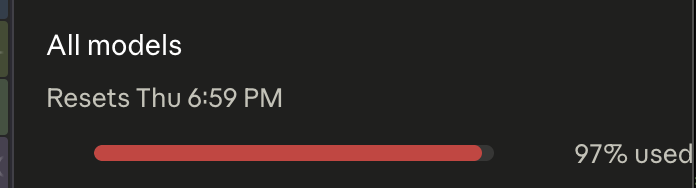
...but at this point I had successfully dumped all of the data from the retail game and prototype into their own respective "mega merge" folders. The idea behind a "mega merge" is that all maps load independently of each other, and may load different bits of packages that are loaded across all maps (remember: these are lazy-loaded). A mega merge basically combines all objects loaded for a common package across all maps into a single file as they would be on e.g. PC.
I had something that I thought was ready to share with interested parties. I sent it to the guys in the Enhanced Splinter Cell dev team Discord and they immediately picked it apart, showing that some things which failed to load in my previous efforts were now working.
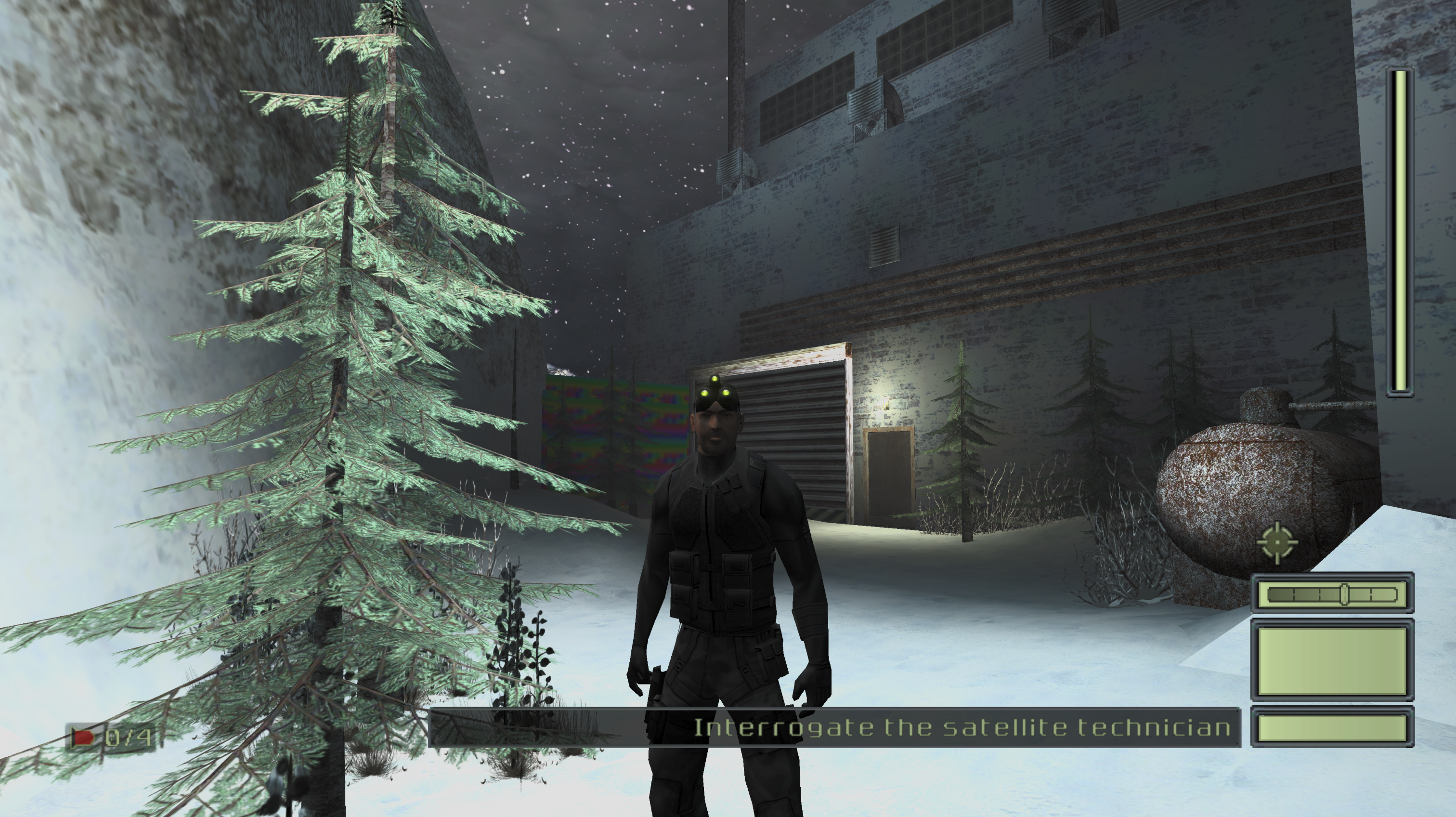
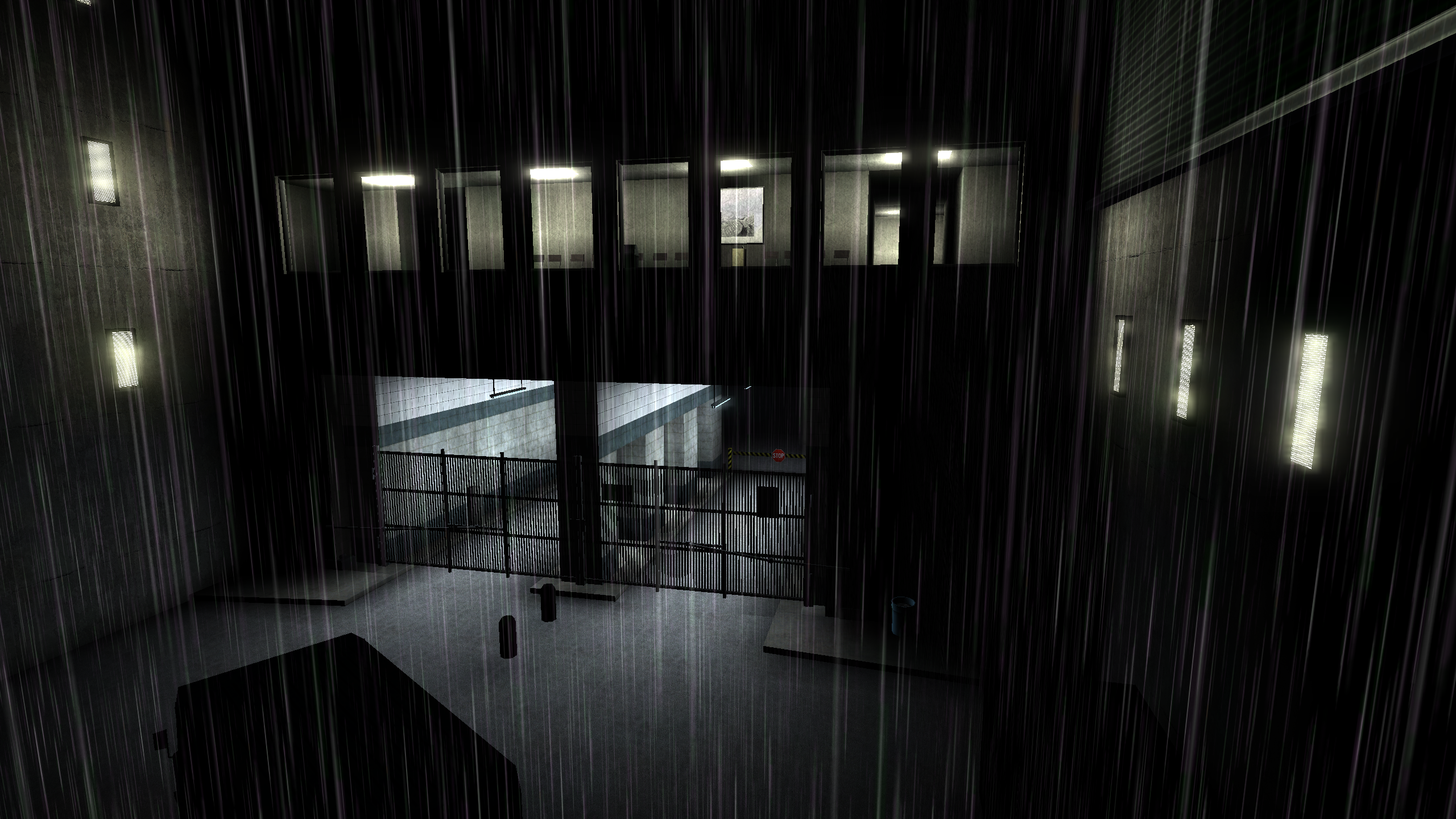
Thank you to Enhanced Splinter Cell team member TGP482 for the above media.
# Refinement
There were some things which were still failing. For example, replacing any of the dumped level static mesh files on the PC version of the game crashed instantly. But the level files on their own were fine.
There were a couple of cases similar to this, but these all mostly boil down to:
- Correct I/O ops being performed but semantically being used incorrectly. i.e. some fields were re-ordered.
- Some prototype objects had subtle differences in deserialization behavior compared to the retail release -- like not checking the version field and unconditionally reading some data.
- Not all objects were being loaded for maps which did not have instrumentation. This was because of some implicit engine behaviors I didn't notice on the C++ side of the house such as:
- Using the first character of the map name to load additional assets AFTER the
MyLevel. Turns out the first character of SC map names indicate the geographic region in the game world, and cause loading of particular objects. e.g. map3_4_3Severonickel's first character3is matched on and maps toRU, then triggers a load of some objects string formatted with thatRUas an arg. - The map scripts can load objects. I ended up having Claude write me a basic bytecode "interpreter" which got the job done.
Even fixing these wasn't enough though. My earlier hypothesis of "MyLevel cascades all other object loads" was kind of true, but there was hidden implicit behavior I didn't account for and probably changes between games. I ended up just dumping the object load order for each map and using that instead of my partial explicit + implicit load behavior. Now everything will be explicitly loaded, which may trigger implicit loads, which will be explicitly re-loaded based on our instrumentation (and short-circuit).
# Overall Results
With static recompilation, I can now dump 100% of assets from SC1 retail and its prototype. Everything tested so far seems to load cleanly on PC and will (hopefully) eventually be rolled into the Enhanced Splinter Cell patch by that dev team.
The barebones requirements for dumping these games are as follows:
- Finding a couple of instrumentation points where object load order can be dumped to disk via QEMU plugin.
- Loading each map to dump its load order.
- Accurate object deserialization code for that game (really shouldn't change too much between Unreal Engine games, barring a couple custom tweaks here and there).
- Running a guided static recompilation / mega merge of all maps in the game (single command, not too difficult).
I was hoping that #2 wouldn't be required, but oh well. Strictly speaking it's not required but the complexity added from trying to avoid this is much higher than just dumping object load order per-map.
There's a bit more legwork involved for arbitrary UE2 titles but the general process should be the same. I'm currently exploring supporting Splinter Cell Pandora Tomorrow and Chaos Theory.
The next steps would be to roll this work into Unreal-Library, which is what most people use for parsing Unreal Engine files.
There were a couple of added bonuses I did along the way:
- A UI for my XEMU plugin which allows me to load arbitrary maps with a command.
- A fix for the SC prototype to allow for loading the cut maps from the in-game menu.
- A complete reimplementation of the DARE and Xbox-ADPCM audio codecs as used in SC1 retail Xbox, the prototype, and PC. Compared to other decoders this produces more accurate audio output.
My static recompilation tool, unrealin, can be found here: https://github.com/landaire/unrealin
And my XEMU plugin can be found here: https://github.com/landaire/UE2OffsetDump
These aren't necessarily in a state for other people to reproduce my work trivially. For example, unrealin really should bundle the object load order for games. These files are a bit large though so I'm trying to figure it out.
UE2OffsetDump works for SC1 proto and retail, but could probably use some generic refactoring and improvements across games. Its Pandora Tomorrow support for example is in a PoC state with known issues.
Documentation for both suck too. But these will improve over time.
If you're competent in a disassembler and don't mind burning some tokens, it might be a fun experience if there's a particular game you're interested in and you want to give reverse engineering with AI a shot. My stack at the moment is just Binary Ninja with the BinAssist MCP plugin, but any static analysis tool with an MCP server should work fine.
You could grab the SC1 retail binary and just ask the agent to find the equivalent functions I have in UE2OffsetDump's SC1 support in your target game's binary and see where you can go from there.
# Thanks
Thank you to the Enhanced Splinter Cell development team for helping test the data I was dumping and lending their expertise surrounding Unreal Engine and Splinter Cell. Their support was invaluable.